Top 5 Cybersecurity Tips for SMBs
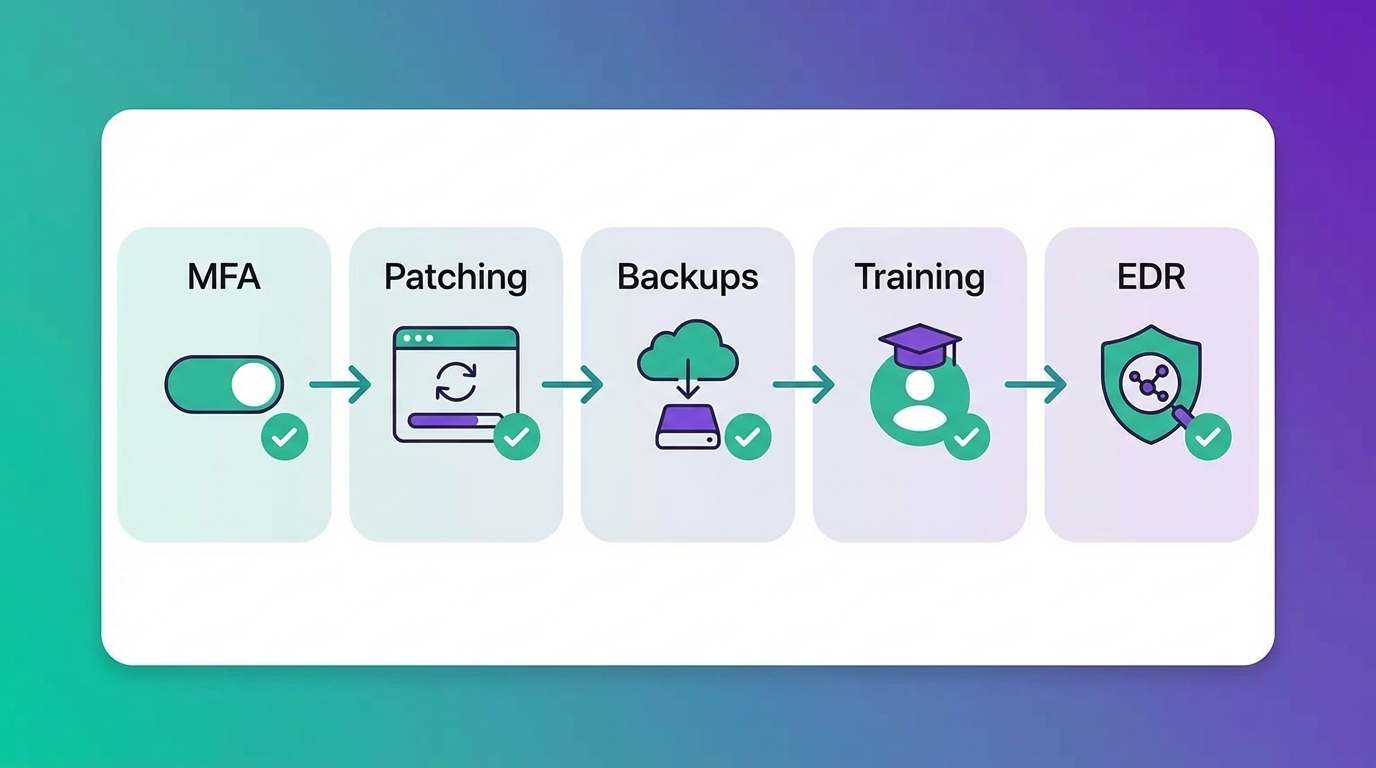
If you run a small or medium-sized business in 2025, cybersecurity isn't optional anymore. Ransomware gangs don't care if you're a 20-person law firm or a 500-employee manufacturer. They're betting you haven't locked the doors. The good news? Most breaches are preventable. The bad news? Most SMBs still aren't doing the basics.
This guide walks through the five cybersecurity tips that actually move the needle for small and medium-sized businesses. No fluff, no vendor pitches. Just the high-impact moves that keep your data, your team, and your reputation intact.
Why Cybersecurity for SMBs Is Different (And Why You're a Target)
Let's get one thing straight: hackers target SMBs more than enterprises. Why? Because you have valuable data (customer records, financial info, intellectual property) but often lack the security budget and expertise of a Fortune 500 company. You're the unlocked car in a parking lot full of alarms.
According to recent industry data, 43% of cyberattacks target small businesses, and 60% of SMBs that suffer a breach go out of business within six months. That's not a scare tactic. That's math.
The attack surface has exploded. Your team works from home, coffee shops, and client sites. They use personal devices. They click links in emails. And if you're still running IT the way you did in 2015, you're already compromised — you just don't know it yet.
1. Turn On Multi-Factor Authentication (MFA) Everywhere
Multi-factor authentication (MFA) is the single most effective control you can deploy today. It requires a second form of verification (a code sent to your phone, a biometric scan, or an authenticator app) in addition to your password. Even if a hacker steals your password, they can't get in without that second factor.
Microsoft reports that MFA blocks 99.9% of automated account compromise attacks. That's not a marginal improvement. That's a wall.
Where to Enable MFA Right Now
- Microsoft 365 (Outlook, Teams, SharePoint, OneDrive) — turn on MFA for every user, no exceptions
- Banking and financial platforms — if your bank offers it, use it
- Your line-of-business apps — QuickBooks, Salesforce, ADP, whatever runs your business
- VPN and remote access tools — require MFA before anyone connects to your network
Use an authenticator app like Microsoft Authenticator or Duo instead of SMS codes when possible. SMS can be intercepted. Authenticator apps are harder to compromise.
If you're worried your team will hate it, start with your admin accounts and executives first. Those are the crown jewels. Then roll it out company-wide with clear instructions and a quick training session. The grumbling will last a week. The protection lasts forever.
2. Patch and Update Everything (Yes, Everything)
Unpatched software is the #1 entry point for ransomware. Hackers don't need to be clever when you're running Windows Server 2012 or last year's version of Adobe Reader. They just exploit a known vulnerability that was fixed months ago — if you'd bothered to install the update.
The WannaCry ransomware attack in 2017 infected over 200,000 systems across 150 countries. The vulnerability it exploited? Patched by Microsoft two months before the attack. The companies that got hit simply hadn't updated.
What to Patch and How Often
- Operating systems (Windows, macOS, Linux) — enable automatic updates or patch within 48 hours of release
- Browsers (Chrome, Edge, Firefox) — set to auto-update
- Business applications (Microsoft 365, Adobe, Zoom, Slack) — update as soon as patches drop
- Firmware and network devices (routers, firewalls, switches) — quarterly at minimum, or after any critical security bulletin
If you don't have an IT team managing this, you need a managed services provider (MSP) or a patch management tool that automates the process. Leaving it to your office manager or "the person who's good with computers" is a recipe for disaster.
3. Back Up Your Data (And Test the Restore)
Backups are your insurance policy. If ransomware locks your files, a hardware failure wipes your server, or an employee accidentally deletes a critical folder, backups are what keep you in business.
But here's the catch: most SMBs think they have backups, and most of those backups don't work. Either the backup job failed months ago and nobody noticed, or the restore process is so complicated that it takes days to get back online.
The 3-2-1 Backup Rule
This is the gold standard for SMB data protection:
- 3 copies of your data (the original plus two backups)
- 2 different media types (local disk and cloud, or local disk and tape)
- 1 offsite backup (cloud or a physically separate location)
Use a cloud backup solution like Microsoft Azure Backup, Veeam, or Datto. Schedule automated daily backups of critical systems and files. And here's the part everyone skips: test your restore process quarterly. Run a drill. Restore a file, a folder, or an entire server. Make sure it actually works before you need it in a panic.
If you can't restore your data in under four hours, your backup strategy needs work.
4. Train Your Team to Spot Phishing and Social Engineering
Your firewall won't stop a convincing phishing email. Your antivirus won't catch a social engineering phone call. The weakest link in your security isn't technology — it's the human who clicks the link or hands over their password.
Phishing is the entry point for over 90% of successful cyberattacks. Hackers send an email that looks like it's from your bank, your boss, or Microsoft. It asks you to click a link, download an attachment, or verify your credentials. One click, and they're in.
What Your Security Awareness Training Should Cover
- How to identify phishing emails — urgent language, suspicious sender addresses, unexpected attachments
- What to do if you click a bad link — report it immediately, don't wait and hope it's fine
- How to verify requests for money or sensitive data — call the person back using a known phone number, don't reply to the email
- Safe browsing and password hygiene — don't reuse passwords, don't save credentials in your browser without MFA
Run simulated phishing campaigns quarterly. Tools like KnowBe4 or Microsoft Defender for Office 365 let you send fake phishing emails to your team and track who clicks. It's not about shaming anyone — it's about building a culture where your team is your first line of defense, not your biggest vulnerability.
Security awareness training should happen at onboarding and at least twice a year after that. Make it short, relevant, and real-world. Skip the 45-minute compliance videos. Give them five minutes of actionable guidance they'll actually remember.
5. Use Endpoint Detection and Response (EDR) on Every Device
Traditional antivirus is dead. It works by recognizing known malware signatures — which means it's always playing catch-up. Modern threats use polymorphic malware, fileless attacks, and living-off-the-land techniques that antivirus never sees coming.
Endpoint detection and response (EDR) is the next-generation replacement. EDR tools monitor your devices 24/7 for suspicious behavior — not just known malware. If a user's laptop suddenly starts encrypting files at 2 a.m., EDR catches it and shuts it down before it spreads.
What EDR Does That Antivirus Doesn't
- Behavioral analysis — detects attacks based on what they do, not what they look like
- Real-time response — isolates infected devices automatically to stop lateral movement
- Threat hunting — proactively searches your environment for indicators of compromise
- Forensics and reporting — tells you exactly what happened, how it got in, and what was affected
We use Microsoft Defender for Endpoint with every partner. It integrates natively with Microsoft 365 and Entra ID, gives us 24/7 visibility across every device, and costs a fraction of what a breach would.
If you're still relying on free antivirus or the built-in Windows Defender without the EDR layer, you're not protected. You're just hoping nothing bad happens. Hope is not a security strategy.
Bonus Tip: Work With a Managed IT Services Provider Who Takes Security Seriously
Most SMBs don't have a full-time security team. That's fine — but you still need someone watching the network, managing patches, monitoring threats, and responding to incidents. That's where a managed IT services provider (MSP) comes in.
Not all MSPs are created equal. Plenty will sell you a server and disappear. You need a partner who builds security into every engagement from day one, not as an expensive add-on. Look for an MSP that offers:
- 24/7 security monitoring with a Security Operations Center (SOC)
- Endpoint detection and response (EDR) on every device
- Regular vulnerability scanning and penetration testing
- Compliance expertise if you need CMMC, HIPAA, SOC 2, or NIST 800-171
- Proactive patching and remediation — not just break-fix support
At Techfive, we embed directly into your Microsoft Teams environment so your team gets 4-minute average response times from named engineers who already know your systems. We don't just patch holes. We build zero-trust architectures that can handle the threats of 2026, not just last year's malware.
Frequently Asked Questions
What is the most important cybersecurity measure for small businesses?
Multi-factor authentication (MFA) is the single highest-impact control. It blocks 99.9% of automated account compromise attacks and costs almost nothing to deploy. Enable it on Microsoft 365, banking platforms, and any app that stores sensitive data.
How often should I back up my business data?
Critical systems and files should be backed up daily using the 3-2-1 rule: three copies of your data, on two different media types, with one offsite. Test your restore process quarterly to make sure backups actually work when you need them.
What is endpoint detection and response (EDR)?
EDR is next-generation endpoint security that monitors devices for suspicious behavior in real time, not just known malware signatures. It can isolate infected devices automatically, hunt for threats proactively, and provide forensic details after an incident. It's far more effective than traditional antivirus.
How do I train employees to avoid phishing attacks?
Run short, practical security awareness training at onboarding and at least twice a year. Use simulated phishing campaigns to test your team's ability to spot fake emails. Teach them to verify requests for money or credentials by calling the sender directly using a known phone number.
Do I need a managed IT services provider for cybersecurity?
If you don't have a full-time IT or security team, yes. Most SMBs can't afford to hire in-house security expertise. A good MSP provides 24/7 monitoring, proactive patching, EDR deployment, and incident response — all for a predictable monthly cost. Just make sure they build security into every engagement, not sell it as an add-on.